


There are many things you can do to make your performance of your pc better. Using these tweaks that i have provided will improve performance in games and reduce your input delay.
Also another thing that i wanna mention is that this isn’t some magic optimization that will boost your fps by 10000, this is simply just to help reduce input lag and slightly boost your fps.
Customizing Nvidia Control Panel
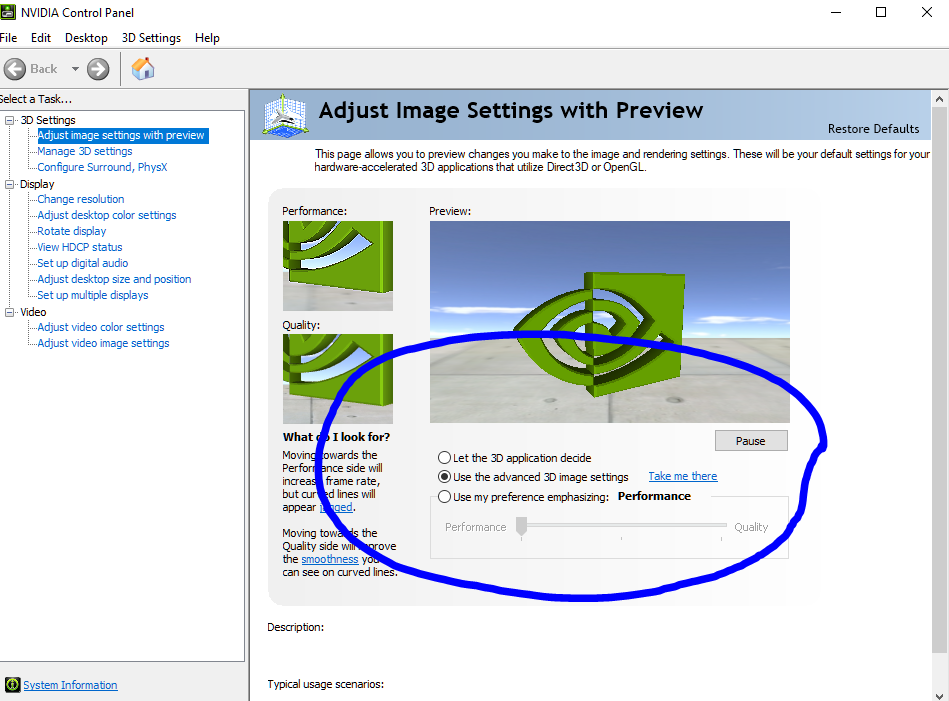
The 2 Images shown below are the recommend settings for the nvidia control panel. These settings will improve performance.

Advanced Tweaks
Click on the link to the google drive ↓
https://drive.google.com/drive/folders/1UvWL3LIwwGZlb-b2KgscxqX0rkCufTz-?usp=drive_link
𝗥𝗘𝗔𝗗 𝗕𝗘𝗙𝗢𝗥𝗘 𝗬𝗢𝗨 𝗖𝗟𝗜𝗖𝗞 𝗢𝗡 𝗧𝗛𝗘 𝗟𝗜𝗡𝗞 𝗧𝗢 𝗧𝗛𝗘 𝗚𝗢𝗢𝗚𝗟𝗘 𝗗𝗥𝗜𝗩𝗘:
Create a restore point before you do anything
The point of a restore point is to revert any changes if something goes wrong.
Starting The Optimization
Download the ”𝗢𝗽𝘁𝗶𝗺𝗶𝘇𝗮𝘁𝗶𝗼𝗻 𝗙𝗼𝗹𝗱𝗲𝗿𝘀” folder. Open the folder after its done downloading and run the ”𝗗𝗶𝘀𝗮𝗯𝗹𝗲 𝗨𝗔𝗖” before you continue.
Open the registry folder and run all registry files in there. Now your gonna want to open the optimization bat folder and run all the bat files in there.
After your done with those you can start running the bat files in the clean up folder.
𝗠𝗔𝗞𝗘 𝗦𝗨𝗥𝗘 𝗧𝗢 𝗥𝗘𝗦𝗧𝗔𝗥𝗧 𝗬𝗢𝗨𝗥 𝗣𝗖 𝗧𝗢 𝗔𝗣𝗣𝗟𝗬 𝗧𝗛𝗘 𝗖𝗛𝗔𝗡𝗚𝗘𝗦!!!
Conclusion
If you have any questions or need help, don’t hestitate to contact me.